Best Smart Home Devices for Beginners (2026): Where to Start Without Overcomplicating Your Home
Discover the best beginner-friendly smart home devices for 2026. Learn how to automate lighting, power, and security without complex hubs or expensive setups.
 Jordan
We may earn a commission from links on this page. Learn more .
If you have ever looked at the smart home aisle and felt instantly overwhelmed by talk of mesh hubs, wiring diagrams, and competing wireless protocols, you are not alone. It is easy to get the impression that making your home “smart” requires rewiring your walls or spending thousands of dollars on complex equipment.
The truth is much simpler: the best smart home setups start small. You do not need a fully automated mansion to enjoy genuine everyday convenience. By picking two or three versatile, beginner-friendly devices, you can automate your routines, save energy, and enhance your home security in less than thirty minutes.
Here is a practical guide to the best smart home devices for beginners in 2026, how to choose the right gear, and how to keep your setup simple, reliable, and stress-free.
The Golden Rule: Start Small and Build Modularly
The biggest mistake beginners make is buying ten different gadgets at once from ten different brands. This leads to app fatigue—having a home screen packed with separate apps just to turn off lights or check a sensor.
Instead, follow a modular approach:
- Choose one central smartphone or voice platform as your control center.
- Buy one or two low-cost devices to solve a specific, everyday nuisance (like turning off a hard-to-reach lamp).
- Expand only when you identify another practical need.
Step 1: Pick Your Control Platform First
Before buying any hardware, decide which voice assistant or app ecosystem you want as your primary hub:
- Amazon Alexa: Offers broad third-party device compatibility and easy setup. Ideal if you already use Amazon Prime or Echo devices.
- Google Home / Gemini: Excellent at natural language commands and context awareness. Great for Android users and homes equipped with Nest hardware.
- Apple Home: The premier choice for privacy-focused Apple users. Highly secure, but requires HomeKit or Matter-compatible accessories.
Thanks to the widespread adoption of Matter (the unified smart home industry standard), most modern devices work smoothly across all three platforms.
1. Smart Plugs: The Easiest, Most Affordable First Step
If you only buy one smart device today, make it a smart plug. A smart plug sits between your standard wall outlet and any appliance with a mechanical on/off switch—such as a desk lamp, floor fan, coffee maker, or holiday lights.
Why They are Great for Beginners
- Zero Installation: Plug it into the wall, connect it to Wi-Fi via its app, and you are done.
- Budget-Friendly: Most quality smart plugs cost between $10 and $20.
- Instant Automation: Set schedules so lamps turn on automatically at sunset, or set a countdown timer so your coffee maker turns off after an hour.
Top Recommendation: TP-Link Kasa & Tapo Matter Smart Plugs
TP-Link’s Kasa and Tapo lines consistently rank among the most reliable smart plugs available. Newer models feature Matter support, enabling effortless setup with Apple Home, Alexa, or Google Home by simply scanning a QR code. Many models also offer energy monitoring so you can track how much electricity your appliances consume over time.
2. Smart Lighting: Instant Convenience Without Rewiring
Smart lighting is where most people first experience the tangible “magic” of home automation. Instead of replacing wall switches, beginners should opt for individual smart LED bulbs that screw directly into existing light fixtures.
Why They are Great for Beginners
- App and Voice Dimming: Adjust brightness and color temperature without installing physical dimmer switches.
- Schedules and Routines: Program your bedroom lights to brighten gradually in the morning, simulating a natural sunrise.
- Out-of-Home Control: Make your house look occupied while you are away on vacation by randomizing lighting schedules.
Top Recommendation: TP-Link Tapo & Govee Wi-Fi Smart Bulbs
While systems like Philips Hue offer robust performance, they often require a separate bridge hub. For beginners, standalone Wi-Fi smart bulbs from TP-Link Tapo or Govee connect directly to your home network without extra hardware. They offer smooth dimming, millions of color choices, and easy grouping so you can turn off an entire room with one tap or voice command.
3. Smart Speakers and Displays: Your Hands-Free Command Center
A smart speaker or smart display serves two main roles: it plays audio and acts as a central voice controller for all your connected gadgets.
Why They are Great for Beginners
- Hands-Free Control: Turn off lights, set kitchen timers, or play music while your hands are full.
- Visual Information (Smart Displays): Touchscreens let you view step-by-step recipes, check video doorbell streams, and manage device status visually.
Top Recommendation: Amazon Echo Show 8 & Apple HomePod Mini
For Alexa users, the Amazon Echo Show 8 strikes the ideal balance between a clear HD display, punchy audio, and native smart home control. For Apple households, the Apple HomePod Mini provides compact, room-filling sound while acting as an Apple Home controller and Thread border router for smart accessories. If you prefer Google Home, the Google Nest Hub offers touch controls and seamless integration with Google services.
4. Video Doorbells: Practical Home Security for Everyone
Front door security is one of the most practical upgrades a homeowner or renter can make. A video doorbell replaces or supplements your exterior doorbell, streaming live HD footage directly to your smartphone when motion is detected or someone rings.
Why They are Great for Beginners
- Package and Visitor Tracking: Speak to delivery drivers or visitors using two-way audio, whether you are in the backyard or at work.
- Deterrence: Motion alerts and built-in spotlights keep you aware of activity around your entryway.
Top Recommendation: Eufy Security Video Doorbell & Ring Video Doorbell
If you prefer to avoid monthly subscription fees, Eufy Security Doorbells offer crisp resolution, local video storage, and smart motion detection without a recurring plan. For those fully invested in the Alexa ecosystem, the Ring Video Doorbell series provides straightforward installation, reliable motion alerts, and seamless video streaming on Echo Show displays.
5. Smart Thermostats: Automated Comfort and Energy Savings
Heating and cooling account for a major portion of home energy bills. A smart thermostat learns your family’s schedule, adjusts temperatures when you leave, and lets you modify settings remotely.
Why They are Great for Beginners
- Lower Utility Bills: Automated Eco modes lower energy usage when the house is empty.
- Remote Temperature Control: Pre-heat or pre-cool your home before returning from a trip.
Top Recommendation: Ecobee Smart Thermostat Enhanced & Google Nest Thermostat
The Ecobee Smart Thermostat Enhanced comes with an intuitive interface and works reliably with external room sensors to balance temperature hot-spots. Meanwhile, the Google Nest Thermostat and high-end Nest Learning Thermostat (4th Gen) offer sleek designs, automatic scheduling, and easy-to-read energy reports.
Note: Before purchasing a smart thermostat, check your existing system’s wiring to confirm compatibility (most require a common “C-wire” or a power adapter kit).
Essential Buying Considerations for Beginners
To ensure your smart home setup remains seamless and trouble-free, keep these key technical factors in mind:
Understanding Matter and Thread Compatibility
Look for the Matter logo when purchasing new smart home products. Matter is an open-source industry standard designed to ensure devices from different manufacturers talk to each other securely without platform lock-in. Thread is a low-power, self-healing mesh networking protocol that allows smart sensors, plugs, and lights to communicate quickly and reliably without slowing down your home Wi-Fi.
Renters vs. Homeowners: Choose Non-Invasive Gear
If you rent your apartment, avoid devices that require cutting drywall or altering electrical hardwiring. Stick to non-invasive upgrades like smart plugs, Wi-Fi light bulbs, adhesive door/window sensors, and wireless video doorbells.
Privacy and Local Data Processing
If data privacy is a priority, choose platforms and devices that support local network processing rather than relying exclusively on cloud servers. Apple HomeKit and Matter-enabled local devices process routines on your local network, keeping your usage habits private.
Common Beginner Pitfalls to Avoid
- Buying Without Checking Wi-Fi Coverage: Smart devices located far from your router (such as outdoor cameras or garage door openers) need a strong Wi-Fi signal.
- Overcomplicating Routines: Avoid creating complex multi-step automations early on. Start with simple rules like “Turn off all lights at 11:00 PM.”
- Ignoring Physical Controls: Ensure family members or guests can still operate essential devices using physical switches or simple voice commands when needed.
Beginner Smart Home Category Breakdown
| Device Category | Typical Price Range | Primary Benefit | Recommended Entry Product |
|---|---|---|---|
| Smart Plugs | $10 – $25 | Automates standard outlets and appliances | TP-Link Kasa / Tapo Matter Plug |
| Smart Bulbs | $12 – $35 | Custom lighting, dimming, and schedules | TP-Link Tapo / Govee Wi-Fi Bulb |
| Smart Speakers | $30 – $100 | Voice control and hands-free assistance | Amazon Echo Dot / Apple HomePod Mini |
| Video Doorbells | $60 – $200 | Entryway surveillance and package alerts | Eufy Security Doorbell / Ring Doorbell |
| Smart Thermostats | $100 – $280 | HVAC automation and energy cost savings | Ecobee Enhanced / Google Nest Thermostat |
Final Verdict: Your Weekend Starter Plan
Building a smarter home does not have to happen overnight. The best strategy is to take one step at a time:
- Weekend 1: Buy a two-pack of smart plugs. Plug in your living room lamp and bedside fan, set a schedule in the app, and enjoy automatic power control.
- Weekend 2: Add a compact smart speaker or display to your kitchen or living room for voice commands.
- Weekend 3: Expand to smart lighting or a video doorbell once you feel comfortable managing your core ecosystem.
By focusing on high-utility, beginner-friendly products, you will build a smart home that genuinely simplifies your daily life without unnecessary technical friction.
⭐ Recommended Reviews
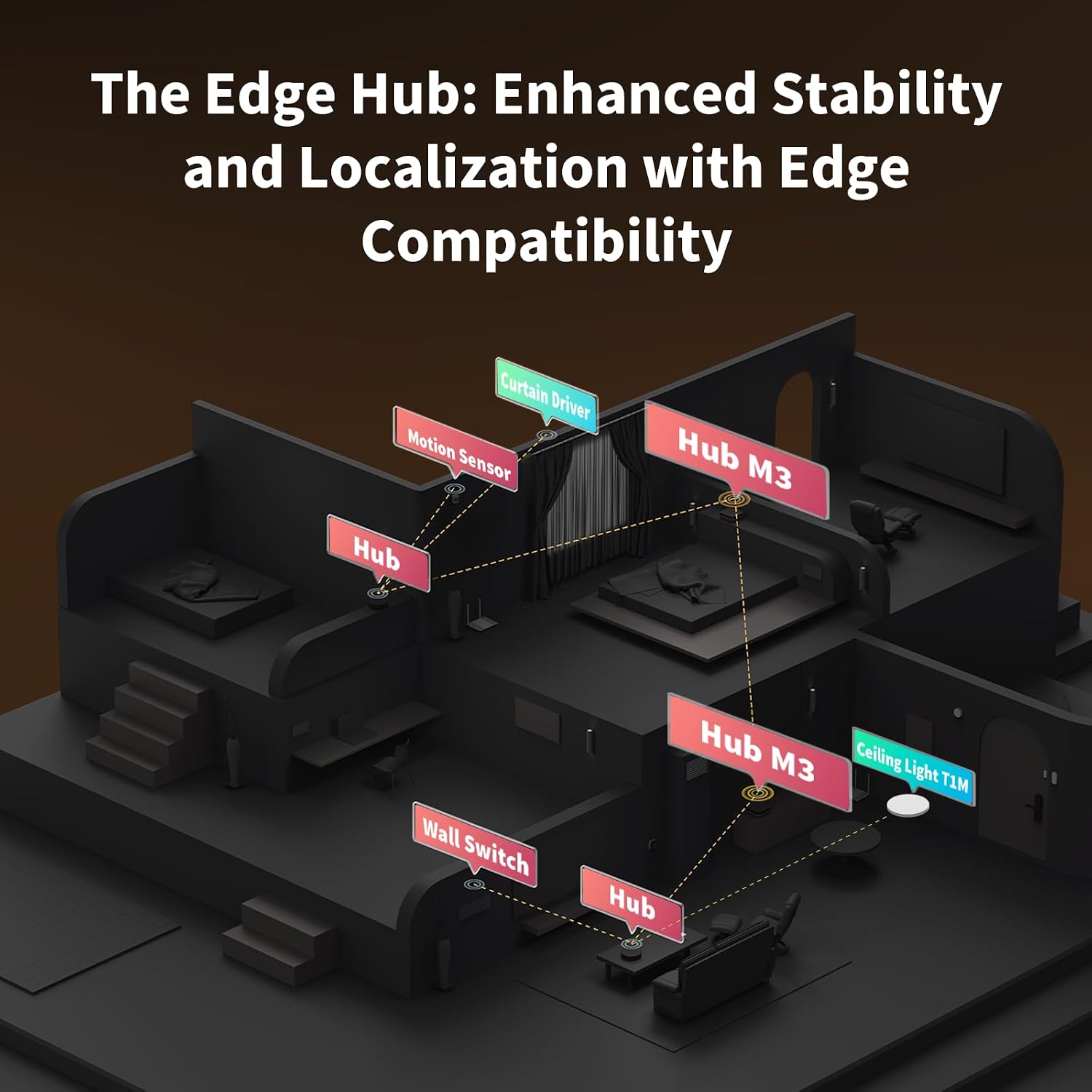
Aqara Hub M3
A Matter controller, Thread border router, and Zigbee 3.0 bridge in one box — the closest thing to an ecosystem-agnostic smart home hub available right now.
- Works natively across Apple Home, Google Home, and Alexa via Matter — no picking a side
- Thread border router and Zigbee 3.0 radio built in, plus a Matter bridge for Wi-Fi devices
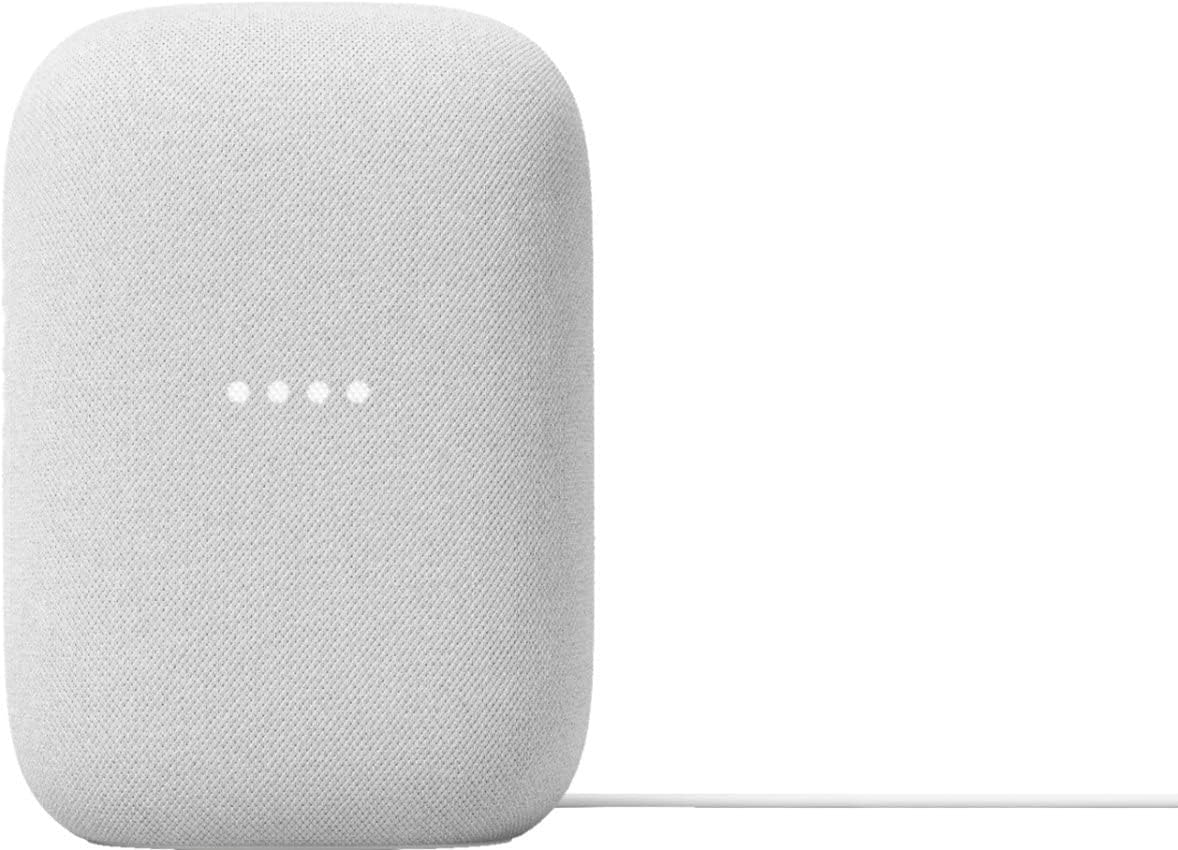
Google Nest Audio
Google Nest Audio (3-Pack) Smart Speakers – Multi-Room Wireless Home Speaker Bundle with Bluetooth, Wi-Fi, Assistant, Stereo Sound, Voice Control & Smart Home Integration
- Excellent sound quality
- Google Assistant works well
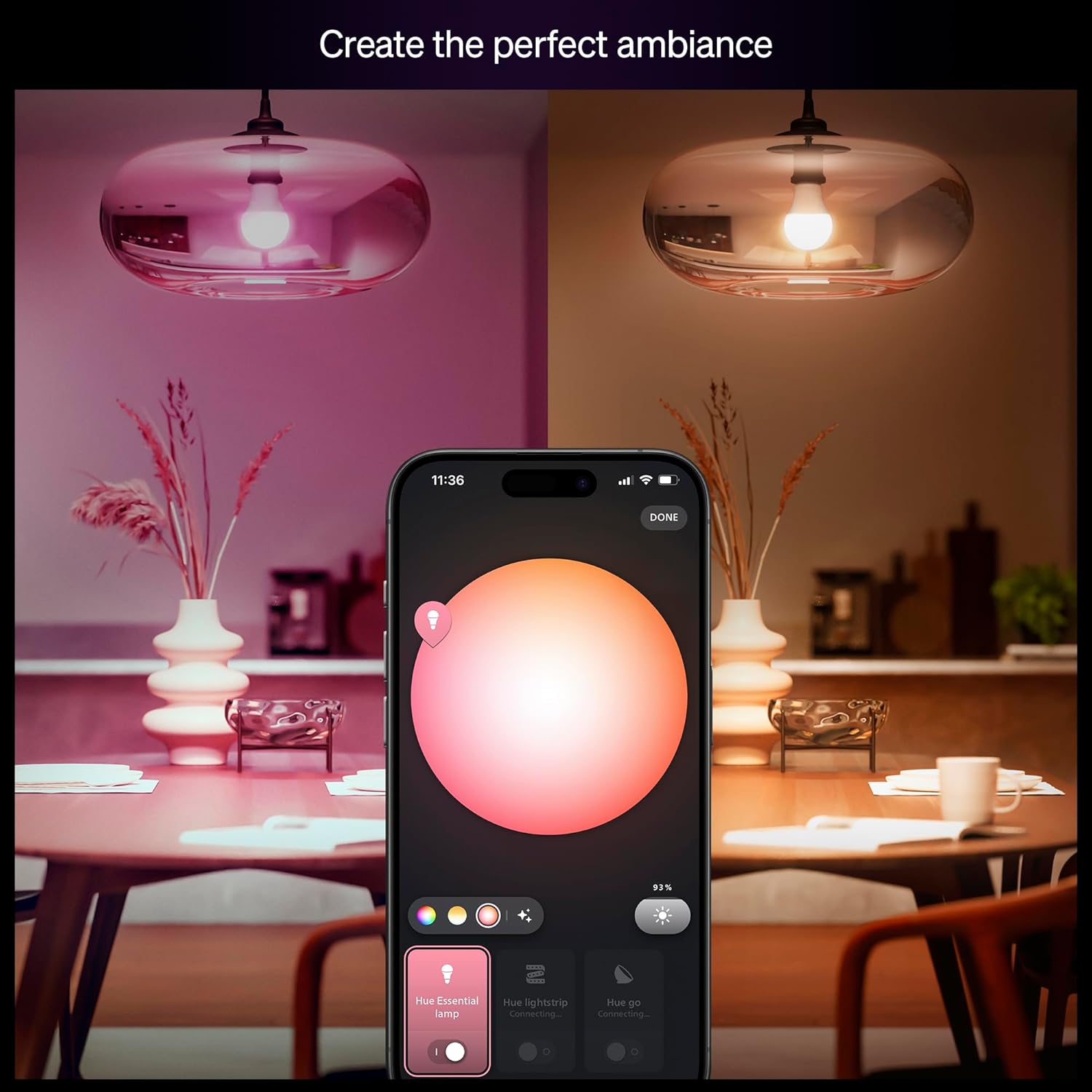
Philips Hue Smart Light Starter Kit (4-Pack)
A premium smart lighting starter kit featuring four color-changing LED bulbs and the Hue Bridge for advanced automation and voice control.
- Easy setup with the included Hue Bridge
- Millions of customizable colors
Where to Buy
Jordan
The Spoky Curates editorial team tests and reviews the best products to help you live smarter every day.